
Scroll to learn why and see demos of key features.
Kiddofy is a next-generation browser that makes the web safe by design. Instead of filtering the open web, it starts with a clean slate and allows in only age-appropriate content trusted by parents, educators, and people they trust.
Watch this fun video to get to know us.
Browsing their approved content is easy for children and when they navigate to a webpage that hasn't been approved, it's simple for them to request access from their parents.
Parents review and approve requests from their own device and kiddos get access in the moment.
Approving a new website is as easy as texting it to a friend.
Adults may use the Kiddofy app or share directly from their favorite browser - just like texting.
Kiddofy notifies your child and they are granted access in the moment.
Be informed and maintain accountability by monitoring your children's Kiddofy activity history - anytime, anywhere, from your own device.
You control your children's content. Review it from your own device and preview content as them, so you see what they see.
Easily remove anything unwanted.
Allow access to selected content with auto-expire, so you don't forget to turn it off.
Example: Give an hour of play or video time.
Temporarily relax browsing restrictions so your children can explore and find what they need.
We still block the bad stuff we know about and you can block everything you don't want (see next demo for more info).
Easily turn websites or entire collections on or off temporarily.
Prevent access to unwanted sites when Homework Mode is active.
Prevent sharing of unwanted sites by your trusted others.
Give your children access to the right content at the right times and never the wrong content.
Invite family, friends, teachers, youth leaders - anyone you trust - to safely share with your children, providing even more great, personally relevant content.
To give families a head start finding good stuff, the team at Kiddofy curates Collections of great websites, pages, and videos, organized by age and topics.
Create content collections for each occasion and share them with your children. Manage approvals in one place with greater control. When you make changes, it's updated automatically for everyone.
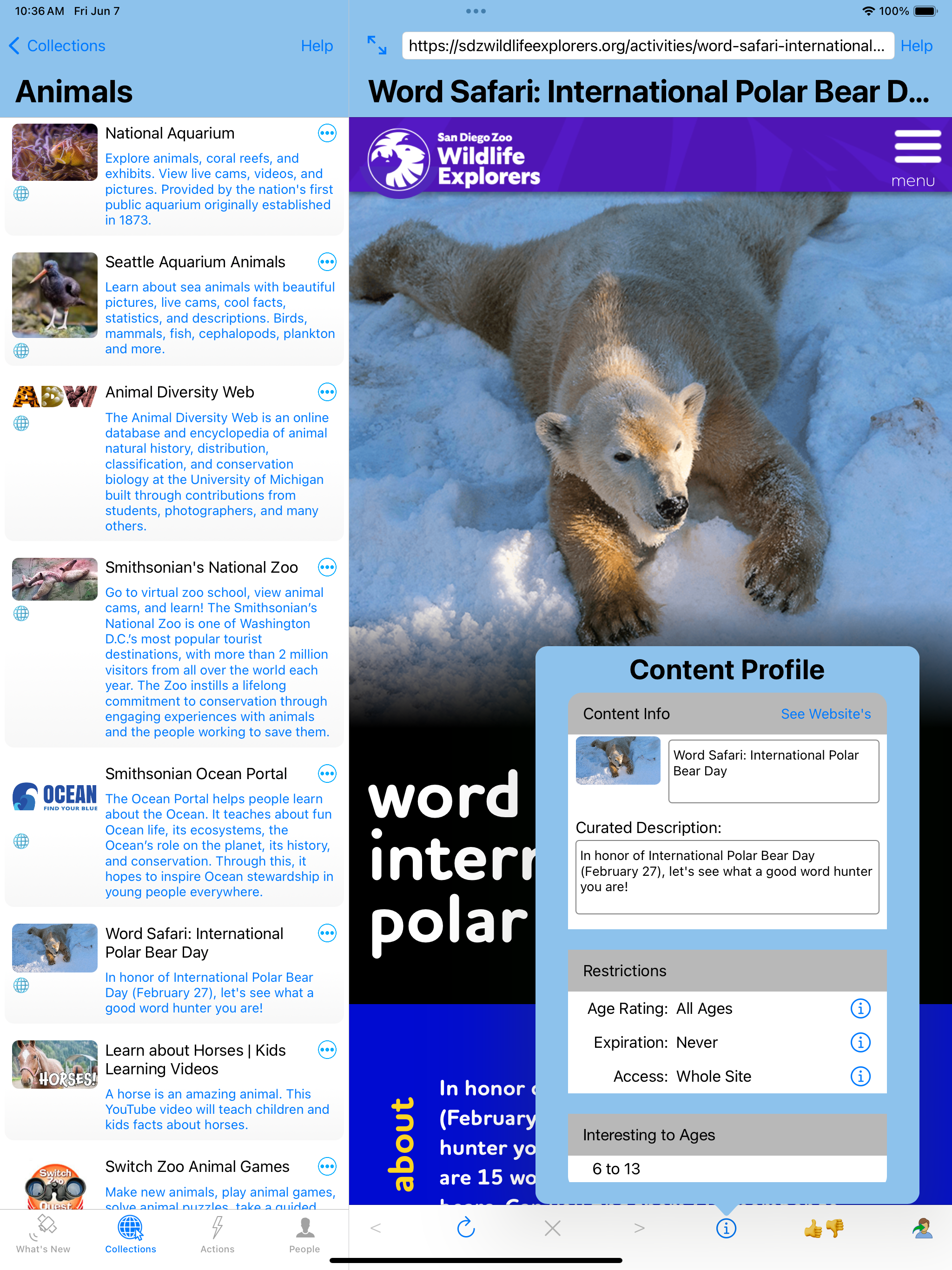
Kiddofy App On iPad (screenshot)
Selectively turn collections on and off to direct children's focus in the moment and avoid distractions.
Whether used as your child's primary browser or a trusted tool alongside others, Kiddofy is a safe browser for kids that helps parents share trusted, age-appropriate web content with confidence.
Kiddofy for Apple Mac and mobile devices (e.g., iPhone, iPad, and iPad Touch) is available in the App Store, FREE for families!
