

When it comes to keeping children safe on the web, there are two basic approaches. One is to filter out content known to be inappropriate (Kiddofy's Homework Mode). The other is to block everything and allow access only to content that has already been approved (Kiddofy's default mode). While this second approach provides the highest level of protection, it can also make discovering new interesting content more challenging. As a child's collections of approved content grow, it gets harder.
That's why we're excited to introduce the beta of Kiddofy's new Explore tab - a new way for children to discover trusted, age-appropriate content based on their interests.
If you’re familiar with Kiddofy, you know we curate children’s content, age-rated and organized by topic (e.g., sports, science & nature, animals, news, etc.), to give parents and educators a head start as they surround their children with great web experiences. Our original Collections tab makes it easy for kiddos to find and browse these approved websites and pages.
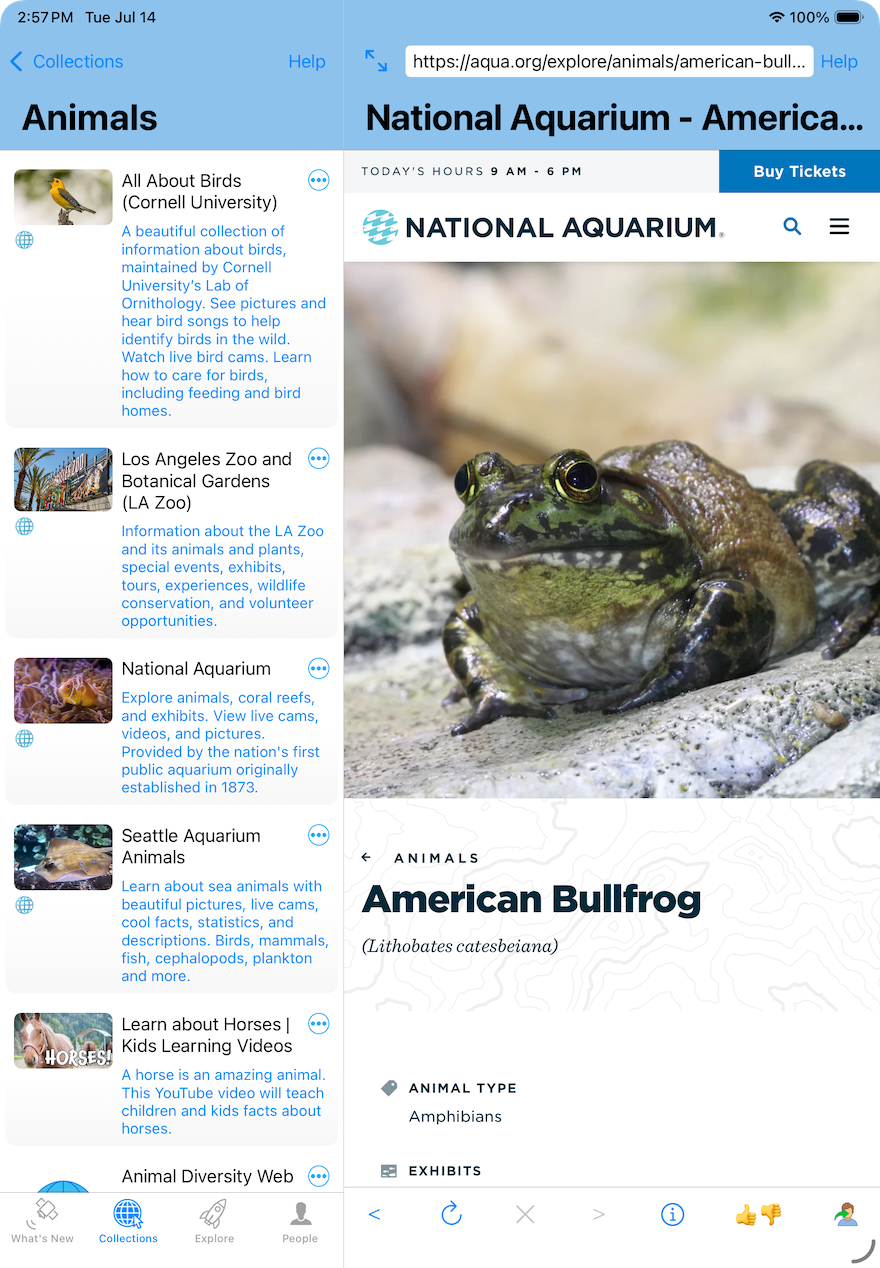
Browsing Kiddofy's Animals Collection (Kiddofy app for iPad).
For example, a child might open Kiddofy’s Animals Collection, choose the National Aquarium, and spend time exploring live cams, virtual tours, animal profiles, and videos. Discovery happens naturally as they browse great websites that have already been approved.
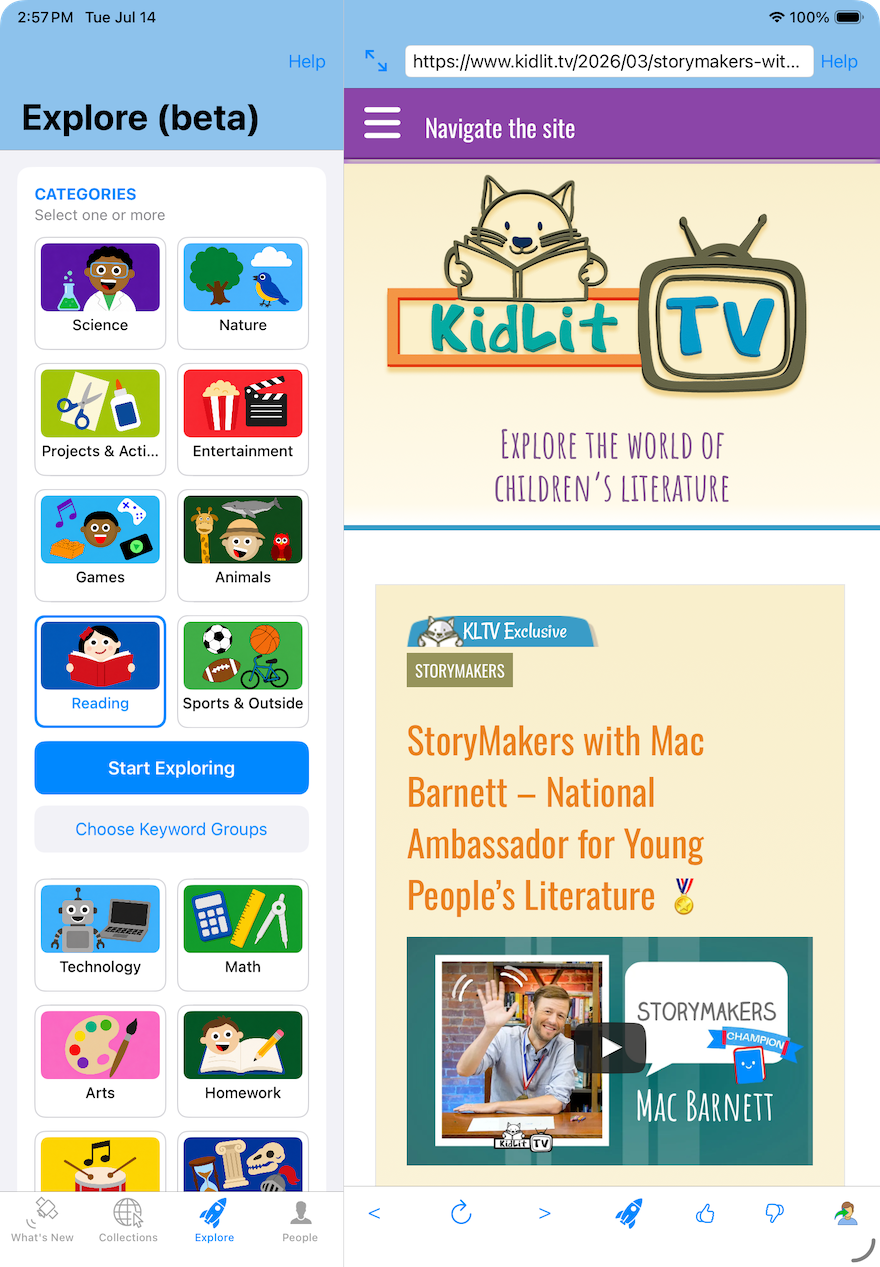
Explore tab: Reading category selected.
The new Explore tab offers a different way to discover. Instead of starting with a website, children begin with their interests. They choose one or more broad categories, such as Sports & Outdoors and / or Music, and can further narrow their interests with keyword groups like Plants & Gardening, Singing & Songs, or Instruments & Orchestras.
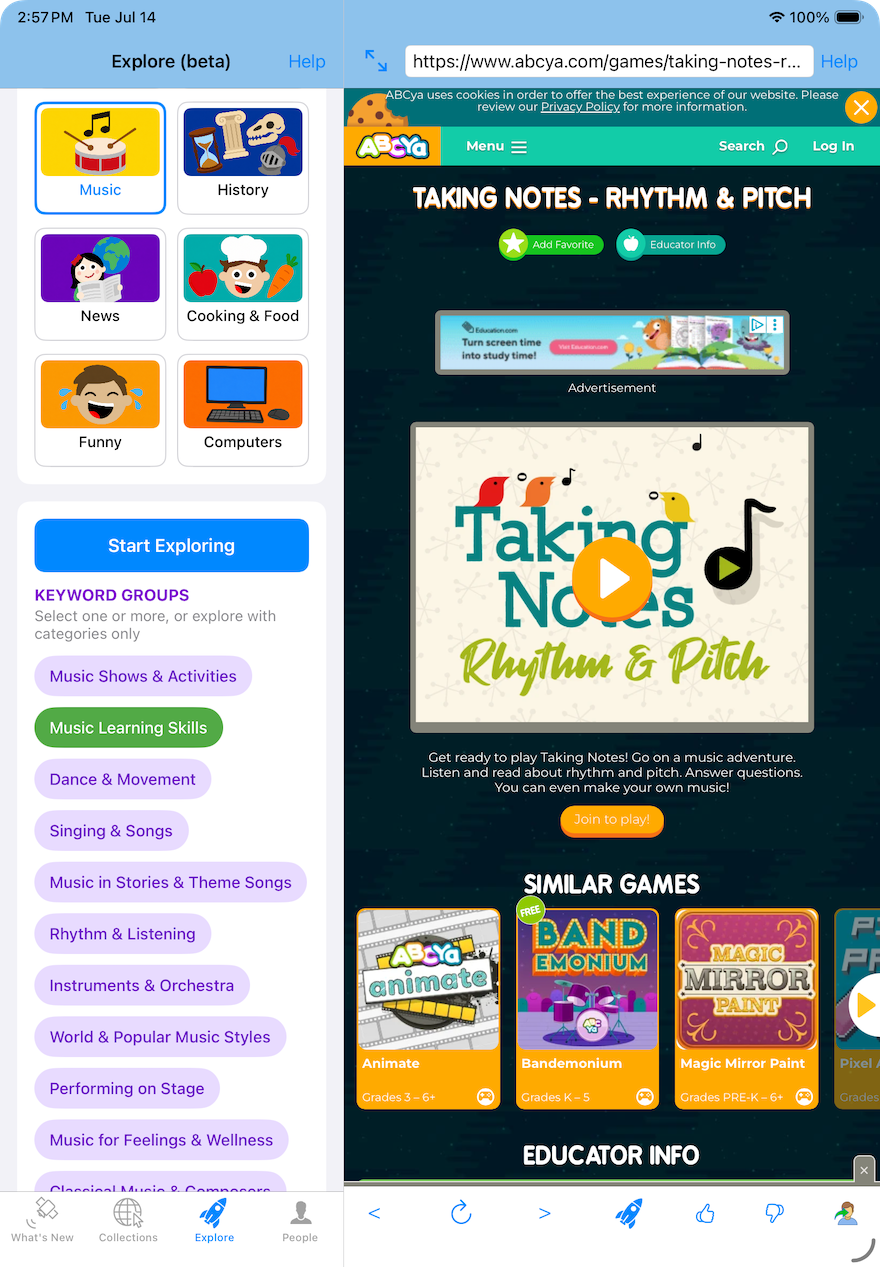
Explore tab: Music category with Learning Skills keywords selected.
Then they simply tap Start Exploring. Kiddofy presents a continuous stream of age-appropriate webpages from across its curated Collections that match those interests. Kids simply swipe from page to page to discover more.
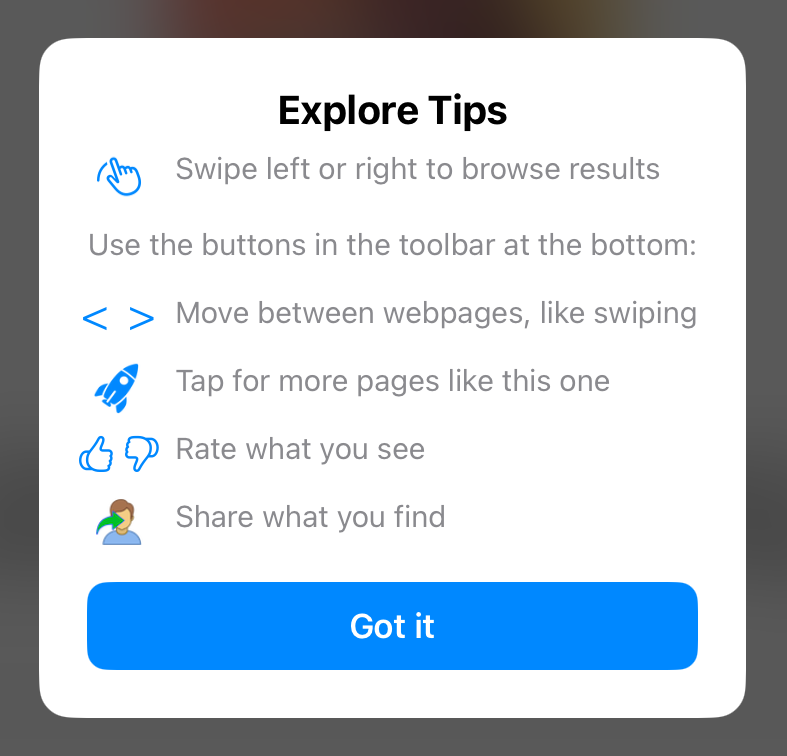
Explore controls.
When they find something special, they can tap More Like This, and Kiddofy instantly continues the journey with similar trusted webpages. It's an easy way to follow their curiosity while staying inside a safe, curated web experience.
When parents want their kiddos to focus, the Explore tab can be disabled with a setting in the child's profile, on the People tab.
Explore is available now in beta and is designed around the same principle that guides all of Kiddofy: children shouldn't have to choose between discovering amazing things and staying safe online. We'll continue refining the experience, expanding our curated content, and introducing new ways for children to safely explore, discover, and be inspired.
Note: To learn more about Kiddofy's features, see our demo videos. See our blog post, How To Help Your Child Enjoy the Web Safely, to learn more about Kiddofy’s approach and recommendations for safety.
Thank you for helping kids enjoy the Internet safely!


Kiddofy for Apple Mac and mobile devices (e.g., iPhone, iPad, and iPad Touch) is available in the App Store, FREE for families!
